Smartphones
How do I scan a QR code with my phone?
Quick answer
Open your phone’s camera, point it at the QR code, and tap the notification or link that appears.
Most modern iPhones and Android phones can scan QR codes with the built-in Camera app. Some Android phones need Google Lens or a QR scanner from the camera tools.
Steps
- 1
Open your Camera app
Launch Camera on your phone. Photo mode is fine on most devices.
- 2
Point your camera at the QR code
Hold the phone steady so the QR code is clearly in frame until the phone recognizes it.
- 3
Tap the notification or link that appears
When a banner or link shows up (for example “Open example.com”), tap it.
- 4
The link opens in your browser or app
Your phone opens the website or related app connected to that QR code.
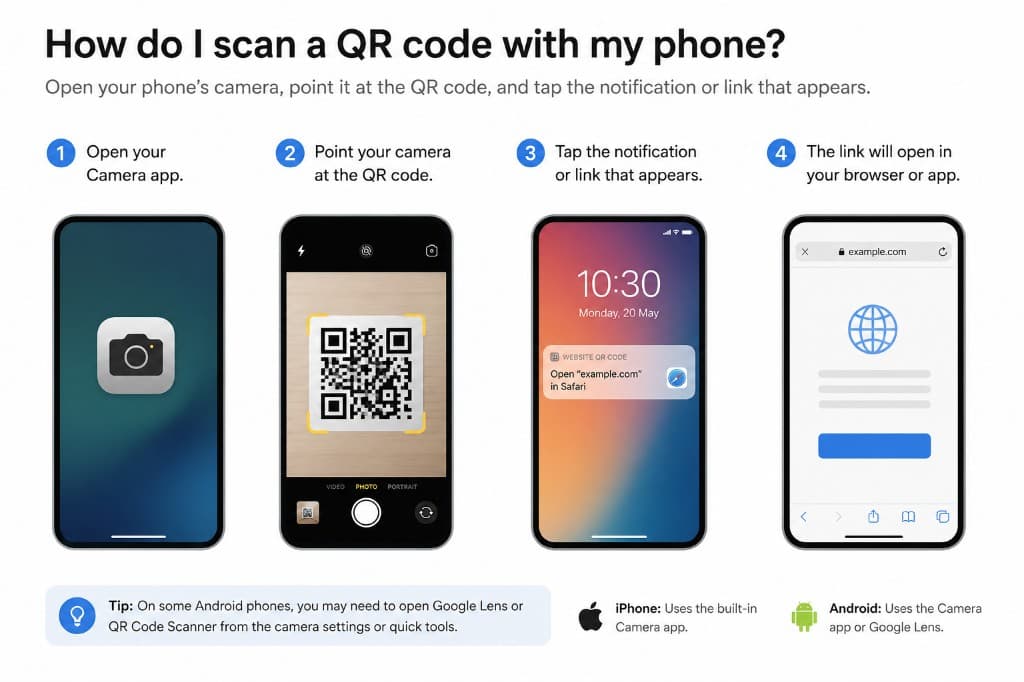
Using the Camera App
Open Camera, keep the QR code in frame, and wait for the link notification. Tap it to open the website or app. On iPhone this works in the built-in Camera app. On Android it usually works in Camera, or through Google Lens / QR Code Scanner in camera settings or quick tools.
If the camera doesn’t scan
If nothing appears after a few seconds, try better lighting, move closer or farther, clean the lens, or open Google Lens / a QR scanner app from your app store.
Watch out for
- You need a working camera and enough light for the QR code to scan reliably.
- Be careful with QR codes from unknown sources — they can open unsafe links.
FAQ
What if my camera app doesn't scan QR codes?
On Android, open Google Lens or QR Code Scanner from camera settings or quick tools. You can also install a QR scanner from your app store. On iPhone, use the built-in Camera app and make sure the code is well lit.
Are there any security risks with scanning QR codes?
Yes. Only scan codes from sources you trust. A QR code can open a malicious site or download unwanted content.
Do iPhone and Android work the same way?
iPhone uses the built-in Camera app. Android usually uses Camera, and sometimes Google Lens or a QR scanner tool.